Gym turnstile systems: tablet, door lock or turnstile?
How to choose between tablet QR, a door lock and a turnstile, how the connection works, when cards make sense, and why the connection kit isn't in the monthly plan.
· 9 min read
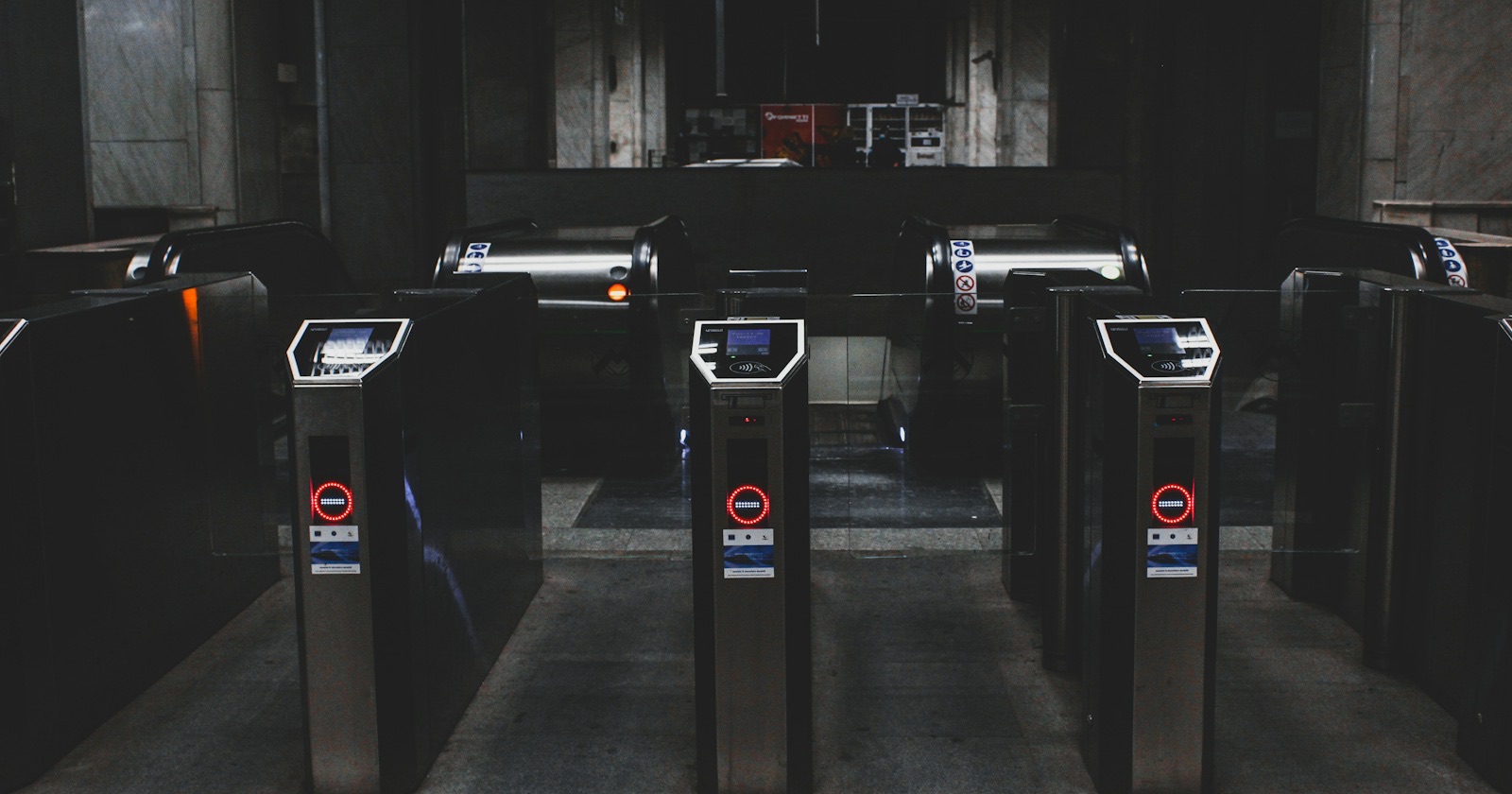
A gym turnstile system is hardware and software working together so that only people with a valid membership get through the door, but not every gym needs a turnstile. A single-entrance gym with the front desk staffed at all hours does fine with a tablet; a gym with unstaffed hours is better served by a door lock, and a busy entrance with several lanes by a turnstile.
This post covers how to choose between the three, how GamGym connects to door hardware, and what's ready today versus what we set up together during installation. The QR code itself and the rules at the door are explained in detail in how QR entry works.
Three options, the same rules
Whatever hardware you choose, the "can this person come in" decision is made in the same place. Has the membership expired, are there visits left, is it within the plan's hours, is there unpaid debt, is the gym full, is the person already inside: these checks are identical on a tablet and on a turnstile. What changes is the outcome. A tablet shows "you can go in" or "you can't" on screen; a lock or a turnstile only opens when entry is allowed.
That means you can separate the hardware decision from the rules decision. You can start with a tablet, settle your rules over a month or two, then move to a lock or a turnstile. The rules and past records stay as they are.
The chooser below makes a suggestion from three questions: is the door always staffed, how many entrances you have, and whether you're open without staff at some hours. It doesn't decide for you; the sections that follow explain why each option suits whom.
Which one fits?
Tablet, door lock or turnstile
Answer three questions and the table highlights the setup we'd suggest. Entry rules are the same for all three.
Suggested setupTablet (QR)Someone is at the entrance, so the door doesn't need to lock; the tablet records each scan and shows refusals on screen. If queues grow, add a second tablet.
| Tablet (QR) | Door lock | Turnstile | |
|---|---|---|---|
| What you need | One tablet | Access kit + electric lock | Access kit + turnstile |
| Unstaffed hours | Not suitable, the door stays open | Suitable, the door opens on a decision | Suitable |
| Rush hour | Fast scans; add a second tablet if needed | Several people can pass while it's open | One person per pass |
| Setup | You do it, it pairs with a code | First install on site, together | First install on site, together |
Tablet QR (kiosk)
The simplest setup is a tablet. Click "Connect tablet" in the panel, enter the one-time code on the tablet, and it becomes the access point for that door. The tablet shows a rotating QR and the member scans it with their phone, or the tablet reads the QR on the member's phone with its camera.
No extra hardware is needed, the tablet doesn't count toward your plan's access point limit, and QR entry is included in every gym plan. The limitation: a tablet doesn't open or close the door. After a denied scan the member can still walk in, so someone has to be there to see it.
Who it suits: gyms with one or two entrances where the desk is staffed whenever the gym is open. Visit deduction on visit-based plans, the count of people inside and occupancy all work fully with a tablet.
Door lock
A middle path for gyms without a turnstile that still want the door to open only for members. An electric lock goes on the door, either a magnetic lock or an electric strike. A reader next to the door reads the QR, and if entry is allowed the connection kit on site releases the lock for a few seconds. An exit button by the door lets people out from inside. GamGym never blocks exit.
The point not to skip with a lock is fire and power failure. The lock has to release at that moment; with magnetic locks this is done with a release tied to the fire alarm. Leave this wiring to your gym's electrician or a lock company.
Who it suits: single-door studios and boutique gyms that stay open without a front desk early in the morning or late at night.
Turnstile
At entrances with several lanes where many people come through at once in the evening, a turnstile is the clearest answer. Most turnstiles have a brand-independent "open" input. The relay in the connection kit is wired to it, with a QR and card reader next to it.
If you already have a turnstile you may not need a new one. If you're moving from other software you can run both systems side by side for a while, either by wiring the relay in parallel with the old one or by giving GamGym one lane during the transition. Once the entry records match, you switch the old system off.
The turnstile isn't part of the connection kit. For gyms without one we price the turnstile separately, and there's no list price for it.
How a gym turnstile system connects to the cloud
At a gym using a lock or turnstile, a small computer goes near the door. GamGym's connection service, the bridge, runs on it. It connects to the cloud outward from inside the gym over an encrypted connection, so you don't need to open a port or get a static IP.
A scan goes like this: the reader passes the code to the bridge, the bridge asks the cloud whether the person may enter, and if the answer is yes the relay opens the turnstile or lock and the event is recorded. The panel shows whether each bridge is online, and you can open a door remotely from the panel when you need to.
So the door doesn't stay locked when the internet drops, the bridge is written to keep a list on site of who may enter that day and decide from that list during the outage. When the connection comes back, events are uploaded and visits are deducted in the cloud.
To be clear: this connection service has been written but hasn't yet run on a real turnstile. That's why we do the first lock or turnstile installation at your gym together with you, and we recommend running it alongside your old setup for the first days. Setting up a tablet, on the other hand, is something you can do yourself in a few minutes today.
Card entry
Members who'd rather not use their phone can use a card. Card entry is included in the Professional and Chain plans. You register cards in the panel under Access › Cards: the card is read with a USB reader or its number is typed in, then it's linked to a member or a staff member. A lost card is closed and replaced in the same step.
At a turnstile, the reader in the connection kit reads the card. If you use a tablet at the door, a USB reader that works like a keyboard can be plugged into the tablet to read cards too. A card is valid only at the doors of your business and, if you have them, your sub-dealers.
A note on cards from your old system: the member import has no column for card numbers, so cards are registered one by one in the panel. If you have a lot of them, put that in the installation plan from the start. It's also worth testing a few of your old cards with the reader before installation.
The connection kit and cost
Every door other than a tablet needs a connection kit: a small computer, a relay and a reader. The kit isn't part of the monthly plan; it's a one-time purchase. The first door and each additional door are priced separately, and the calculator on the for gyms page shows the total for your number of doors. If we need to come to your gym for the installation, the visit is charged separately.
The kit has no monthly fee. If you go over your plan's number of access points, there's a monthly add-on for each extra door. Tablets never count toward that number.
Three example gyms
The first has 350 members and one entrance, with the desk staffed from 07:00 to 23:00. A tablet is enough here, because the desk already sees denied scans. Spend the budget on settling the door rules, not on a turnstile.
The second is a boutique studio with 120 members. Between 06:00 and 08:00 nobody is at the door, but members come to train. A door lock makes sense here: it opens only for valid members, and nobody has to wait at the door in the morning.
The third has 1,200 members and a two-lane turnstile, with a queue at the entrance between 18:00 and 20:00 in the evening. Here the existing turnstile gets connected, runs alongside the old system for a week or two, and the old system is switched off once the records match.
Prepare before installation
- The make and model of the turnstile or door, and a photo of its control board.
- The software you use now and when its contract ends.
- What members use to get in today: card, fingerprint or face.
- How many lanes or doors there are, and whether one can be set aside during the transition.
- Whether there's a network cable and a power socket next to the turnstile, and how reliable the internet is.
- Who will do the wiring.
Common mistakes
Buying a gym turnstile system before the rules. If it isn't settled what happens to a member in debt, what the capacity limit is and what hours each plan allows, a turnstile just moves the argument to the door. Run with a tablet for a month, look at the denial report, then decide on hardware.
Assuming the tablet locks the door. A tablet decides and records, but it doesn't stop anyone. If you have unstaffed hours, during those hours the tablet only keeps records.
Not planning the exit. An exit button on a locked door, an exit direction on a turnstile: think these through from the start. A lock releasing in a fire is not up for negotiation.
Trying to carry over biometric data. If you're coming from a system that uses fingerprints or faces, check whether you have explicit consent for that data. GamGym works with QR and cards; we cover health and biometric data in gym member data and KVKK.
Where to start
For most gyms the right first step is tablet QR. If you have several branches, see how to roll out doors branch by branch in gym chain management. Apply on the for gyms page; once your account is open the trial starts and you can pair the tablet on day one. If you're considering a lock or turnstile, write your number of doors and your turnstile brand in the note field of the application form.
Terms in this article
Frequently asked questions
Can you use QR entry without a turnstile?
Yes. A tablet is paired at the door, the member scans a QR and the tablet shows the decision on screen. No extra hardware is needed and it doesn't count toward the access point limit, but it doesn't open or close the door.
Is the connection kit included in the monthly plan?
No. The kit is a separate one-time purchase with no monthly fee. Each door above your plan's number of access points needs a monthly add-on.
Can we use our existing turnstile?
Most turnstiles have a brand-independent "open" input, and that's where the connection goes. We do the first installation at your gym together with you and recommend running it alongside the old system for a while.
Which plan includes card entry?
Card entry is in the Professional and Chain plans. Cards are registered one by one in the panel under Access › Cards.